What Should a Family Digital Time Capsule Preserve?
A digital time capsule is an organised collection of photographs, videos, voice recordings, letters, documents and personal stories preserved so that other people can access and understand them in the future.
Its real value is not simply storing files. A useful family archive explains who people were, how they lived, what mattered to them and why particular photographs, objects and stories are worth remembering.
You do not need specialist equipment to begin. Start with material that matters, add enough context for someone unfamiliar with the family to understand it and make sure the archive is stored in a way that does not depend on one device, one account or one person knowing where everything is.
In short: select the memories worth keeping, explain who and what they show, organise them clearly, keep several copies and make sure another trusted person knows that the archive exists and how it can eventually be accessed.
A digital time capsule can be created during someone's lifetime, as a family project, as part of planning ahead or after a death. It can also sit alongside a physical memorial. The two serve different purposes: digital files can preserve voices, photographs and stories, while a physical object or place can have its own role in remembrance.
What should you put in a digital time capsule?
Begin with material that tells a story rather than attempting to preserve everything. Hundreds of unexplained photographs may ultimately tell a future grandchild less than twenty carefully selected photographs accompanied by names, dates, places and short explanations.
A family digital time capsule might include:
- family photographs with names, approximate dates and locations;
- short videos from ordinary days as well as important occasions;
- voice recordings of relatives telling family stories;
- scanned letters, postcards and handwritten notes;
- family recipes and the stories associated with them;
- birth, marriage and other family records where appropriate;
- a family tree and information about earlier generations;
- stories about childhood, work, relationships, hobbies and traditions;
- photographs and explanations of important family objects;
- memories of meaningful houses, towns or other places;
- messages recorded specifically for children, grandchildren or future generations.
You do not need every category. A smaller collection with clear context is usually easier to preserve and understand than an enormous archive of unlabelled files.
Start with the stories, not the technology
It is tempting to begin by comparing cloud services, hard drives, scanners and file formats. Those choices matter, but they are not the best starting point.
First ask: What would someone who never met us need to know to understand this family?
Imagine a grandchild or great-grandchild opening the archive fifty years from now. They may recognise very few faces. Family nicknames may mean nothing to them. They may not know why a particular house, holiday destination, ring, recipe or photograph mattered.
This is why context is so important.
Instead of leaving a photograph with a name such as IMG_4728, give it information that another person can interpret. For example:
Margaret and Helen at their parents' home in York, summer 1978.
If there is a story behind the photograph, add a short note explaining what was happening and why the image was preserved.
The same principle applies to objects. If a family ring, watch, medal, urn or other memorial object has a history, photograph it and record that history. The story can then remain understandable even if the physical object is eventually inherited by one member of the family.
Record voices while you can
Written memories preserve information. A person's voice preserves something different: accent, rhythm, laughter, favourite expressions, pauses and the way a story is told.
A recording does not need to resemble a formal interview. A natural conversation recorded on a smartphone can be enough.
Specific questions generally make it easier to begin than asking someone to describe their entire life. For example:
- What was your childhood home like?
- What did Sundays usually look like when you were young?
- What was your first job?
- Which family traditions do you remember most clearly?
- What did your parents or grandparents cook?
- Which holiday do you still remember particularly well?
- What were you most proud of?
- Which difficult decision taught you something important?
- What would you like younger family members to know?
Do not record only major events. Ordinary details can become particularly valuable over time. The sound of someone's voice describing a kitchen, a first car, a favourite meal or a normal family Sunday may reveal more about everyday life than a list of dates and milestones.

Digitise photographs, letters and documents carefully
Older photographs and documents can be scanned with a dedicated scanner. A good smartphone camera may also be sufficient for many everyday items if the image is sharp, evenly lit and readable.
The aim is to create a useful digital copy without unnecessarily damaging the original.
When digitising family material:
- capture the reverse of photographs when it contains handwriting, dates or studio information;
- keep pages of letters in their original order;
- add a typed transcription when handwriting is difficult to read, but retain the original scan;
- identify people while someone is still available who knows their names;
- record uncertain dates as approximate rather than guessing;
- keep original photographs and documents safely after digitising them.
Give files meaningful names
A file name should help someone identify the contents without opening dozens of files.
Instead of:
IMG_4728.jpg
consider a consistent structure such as:
1978_York_Margaret-Helen_Family-Home.jpg
You do not need a complicated naming system. Consistency is more important. Where possible, record the basic information future viewers are most likely to need: who, what, where and when.
Create a "Start Here" document
One of the most useful files in a digital time capsule may be the simplest: a document called Start Here.
This acts as a guide for someone who encounters the archive years later and has nobody beside them to explain how it works.
Your Start Here document can explain:
- who created the archive;
- when it was created or last updated;
- which family or family branch it covers;
- how the folders are organised;
- who the main people in photographs and recordings are;
- where a family tree can be found;
- whether some material has restricted access;
- where backup copies are stored;
- who is responsible for the archive;
- where access instructions are securely recorded.
A simple family tree is particularly useful when several generations contain people with the same first name or when relationships that are obvious today may be much less clear in the future.
A simple folder structure for a family time capsule
There is no single correct way to organise an archive. You can organise it by person, family branch, decade, subject or a combination of these.
What matters is that another person can understand the system.
This is only an example. A smaller family archive may need only a handful of folders. Avoid creating a complicated structure simply because you can.
Which file formats should you use?
No digital format can be guaranteed to remain accessible forever. For a family archive, the practical goal is therefore to use common formats, avoid unnecessary dependence on specialist software and periodically check that important files can still be opened.
| Material | Practical format | Consideration |
|---|---|---|
| Everyday photographs | JPEG | Widely supported and convenient for viewing and sharing. |
| High-quality master scans | TIFF where appropriate | Can preserve high-quality image data but creates much larger files. |
| Video | MP4 | A commonly supported format for everyday family video. |
| Audio master recordings | WAV | Useful when preserving a high-quality original recording; an additional smaller listening copy can also be kept. |
| Documents | PDF or PDF/A where appropriate | Useful for material intended mainly to be read rather than edited. |
| Simple indexes and notes | TXT or CSV | Simple formats can remain useful because they do not depend heavily on specialist software. |
The table is a practical starting point rather than a guarantee of permanent accessibility. Technology changes. For an archive intended to last for decades, periodic checking remains essential.
How do you store a digital time capsule safely?
A digital time capsule should never depend on a single laptop, USB stick, external drive or online account. Hardware can fail, devices can be lost and online services can change or disappear.
A useful approach for important family files is the 3-2-1 backup rule.
3 copies
Keep three copies of the material you consider important rather than relying on one master copy.
2 types of storage
Keep the copies on at least two different types of storage rather than placing every copy on identical devices in the same location.
1 copy elsewhere
Keep at least one copy in another physical location so that a single incident at home does not destroy the entire archive.
In practice, a family might keep a working copy on a computer, a backup on an external drive and another protected copy in secure online storage or with a trusted family member.
The precise combination matters less than avoiding one point of failure.
Do not assume that cloud storage is permanent
Online storage is useful, particularly because it can keep a copy away from your home, but it should not automatically be treated as a permanent archive.
Services change. Accounts can become inaccessible. Subscription arrangements, terms and account-access policies can also change over time.
If a particular online service is essential to your archive, another trusted person should know that the account exists and where legitimate access instructions are kept.
Do not forget passwords and access instructions
A perfectly preserved archive is of little use if nobody can access it.
If files, devices or online accounts are password protected, decide how the appropriate person could eventually obtain legitimate access. Avoid storing passwords in an openly accessible file inside the archive itself.
Instead, your Start Here document could state where the access information is securely held, without containing the passwords themselves.
Depending on your circumstances, that might involve a password manager, trusted relative, executor or other secure personal records.
Account inheritance, legacy access and inactive-account arrangements vary between services and countries. Check the current options provided by the services you actually use rather than assuming that relatives will automatically receive access.
Review the archive once a year
A digital time capsule intended to last for decades should not simply be created and forgotten.
For a living family archive, an annual check is a practical routine.
- Open a selection of files. Check photographs, audio, video and documents rather than assuming everything still works.
- Check the backups. Confirm that each copy still exists and can be accessed.
- Check storage devices. Replace or migrate ageing or unreliable devices when necessary.
- Review file formats. If important files become difficult to open with current software, create accessible copies in a suitable current format while retaining the originals where practical.
- Check access arrangements. Confirm that the trusted person still knows the archive exists and where instructions are kept.
- Add important new material. A living family archive can grow gradually rather than through one enormous project.
Privacy matters in a family archive
A family time capsule can contain information about people who are still alive. Not every photograph, letter, recording or document needs to be available to everybody who receives access to the archive.
Before preserving sensitive material, consider who may eventually see it and whether the people involved would reasonably expect it to be shared.
You can separate the archive into different access levels. General family history may be available to several relatives, while private correspondence, sensitive photographs, financial or personal documents and intimate recordings can remain restricted.
When other people contribute photographs, recordings or stories, explain how you plan to preserve and share them.
Should a digital time capsule contain messages for the future?
It can. These messages do not need to be dramatic or formal.
Parents may record stories for children or grandchildren. Grandparents can explain family traditions. Someone planning ahead may want to preserve stories or reflections that they hope relatives will remember after their death.
Consider placing these recordings in a separate folder, such as:
Messages for the Future
This makes their purpose clear and prevents a personal recording from unexpectedly appearing among ordinary family photographs.
Does a time capsule need an opening date?
No. Some families prefer a living archive that can be viewed and expanded at any time. Others reserve particular messages for a birthday, anniversary or another future moment.
Both approaches can be combined. General family history can remain accessible while particular letters or recordings are kept separately until a specified date.
If something is intended to remain unopened for many years, make sure more than one person knows that it exists and understands the instructions. A message for the future has little value if its existence is forgotten.
Creating a digital time capsule after someone has died
A digital archive can also be created after a death. The difference is that the person can no longer explain photographs, identify people or record new stories.
Begin with the material that already exists:
- photographs;
- videos;
- voice messages;
- letters and postcards;
- emails that are appropriate to preserve;
- recipes;
- family documents;
- photographs of meaningful possessions;
- stories already recorded or written down.
Relatives and friends may have photographs, messages and memories that other family members have never seen.
It can also be valuable to record people speaking about the person who died. Rather than trying to produce one definitive biography, ask for specific memories: a characteristic expression, a favourite meal, a holiday story, a habit, a piece of advice or something that always made them laugh.
Several individual memories can reveal aspects of a person's life that would never appear in a formal chronology.
Connecting digital memories with a physical memorial
Digital memories and physical memorials do not need to compete with each other. They serve different purposes.
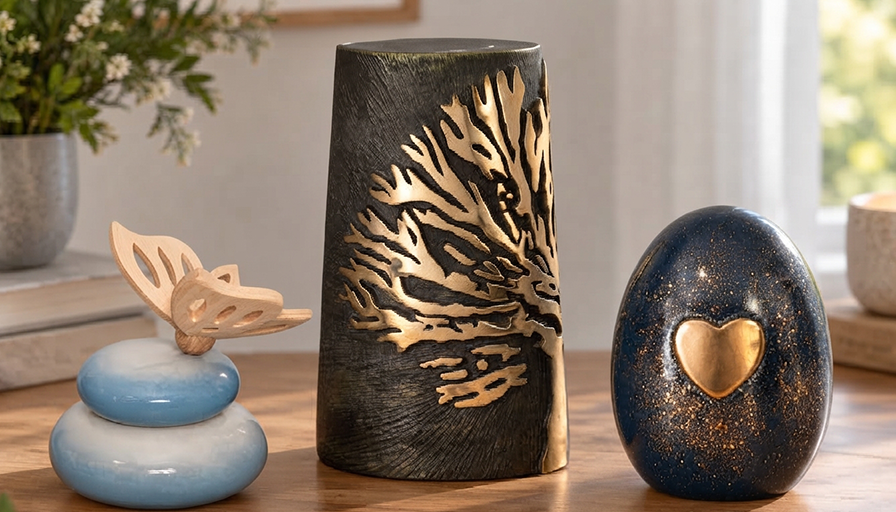
A photograph, cremation urn, piece of cremation jewellery or keepsake urn can provide a physical object or place associated with remembrance. A digital archive can preserve the wider collection of voices, photographs, documents and stories surrounding that person.
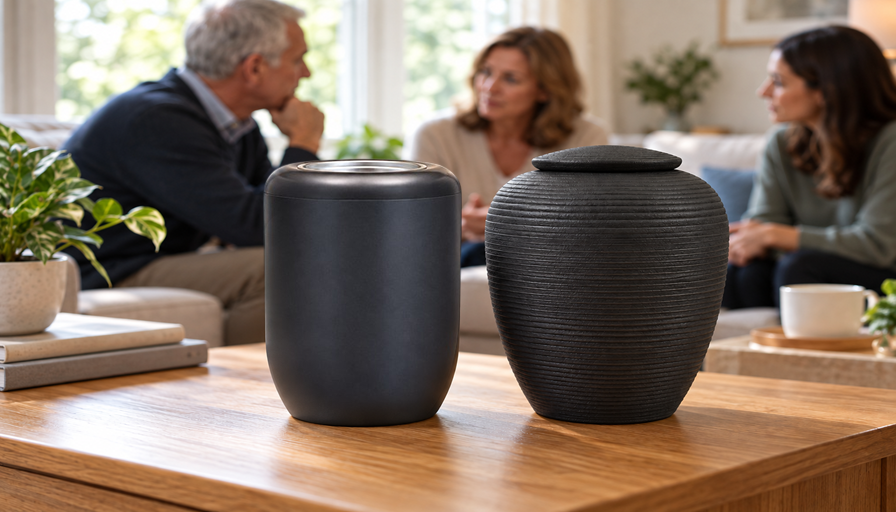
For example, a family may keep an urn and photograph in one location while relatives living elsewhere have access to the same private digital family archive. If ashes have been divided between relatives, individual keepsakes and one shared digital archive can similarly exist alongside each other.
The important distinction is that the digital archive does not need to replace a physical form of remembrance. It performs another function: preserving information and context that an object by itself cannot contain.

Common mistakes when creating a digital family archive
Trying to preserve everything.
Saving every photograph, screenshot and message can make an archive almost impossible to explore. Select material that has personal, historical or explanatory value.
Assuming digital means permanent.
A single drive, phone or online account is not a long-term preservation strategy.
Saving photographs without names.
A future relative may recognise nobody in an image that is completely familiar to you today.
Using file names that explain nothing.
Automatic camera numbers make large collections much harder to interpret.
Creating a system only you understand.
The archive should remain understandable when you are no longer available to explain it.
Forgetting access arrangements.
Make sure another trusted person knows that the archive exists.
Never checking the files again.
Digital preservation requires occasional maintenance. Storage devices, software and formats change.
Waiting for the perfect moment.
A clear ten-minute recording made today may preserve more than an ambitious interview project that is continually postponed.
A simple digital time capsule plan
If the entire project feels too large, use this sequence:
- Select. Choose the photographs, voices, documents and stories worth preserving.
- Identify. Record names, dates, relationships, places and relevant context.
- Organise. Use simple folders and understandable file names.
- Explain. Create a Start Here document and, if useful, a family tree.
- Preserve. Use common file formats and keep the original files where practical.
- Back up. Apply the 3-2-1 principle to important material.
- Protect. Decide who may access private material and where access instructions are held.
- Review. Check the archive periodically and migrate files or storage when necessary.
You do not need to complete every stage in one weekend. A small, understandable archive that is properly preserved is more useful than a perfect system that never gets started.
FAQ about digital time capsules
What is a digital time capsule?
A digital time capsule is an organised collection of photographs, videos, audio, letters, documents, family history and personal stories preserved so that they can be accessed and understood in the future.
What should I put in a family digital time capsule?
Prioritise material that helps explain people and family life: labelled photographs, voice recordings, videos, letters, recipes, family stories, a family tree, information about meaningful places and objects, and messages for future generations.
How should I back up a digital time capsule?
For important material, the 3-2-1 principle is a useful approach: keep three copies, use two different types of storage and keep one copy in another location.
Should I use cloud storage or an external drive?
Using more than one storage method is safer than relying on either one alone. An external drive can provide a local copy, while secure online storage can keep another copy away from the home. Neither should be treated as permanently reliable without periodic checks.
Which file formats are best for a digital family archive?
Use common, widely supported formats and avoid making the archive dependent on specialist software where possible. JPEG, MP4, PDF and common audio formats can be practical choices, while high-quality master files may justify formats such as TIFF or WAV. No format should be considered permanently future-proof, so important files should be reviewed periodically.
How should I organise old family photographs?
Use a simple structure based on years, people, family branches, events or subjects. Add names, approximate dates and locations where known, and use meaningful file names. A future relative should be able to understand the collection without needing you to explain it.
Can I create a digital time capsule for someone who has already died?
Yes. Existing photographs, videos, voice recordings, letters and documents can be combined with memories recorded by relatives and friends. Adding names, dates and explanations becomes especially important when the person is no longer available to provide that context.
How often should I check a digital time capsule?
For a living family archive, reviewing it about once a year is a practical routine. Check that important files still open, backups remain accessible and the people responsible for the archive still know where it is kept.
Can a digital time capsule be part of a memorial?
Yes. A digital archive can preserve photographs, voices and stories while a photograph, cremation urn, keepsake or piece of cremation jewellery provides a separate physical form of remembrance. The two can complement each other without serving the same purpose.
Preserving more than files
The most useful digital time capsules are not necessarily the largest or the most technically sophisticated. Their strength lies in selection, context and accessibility.
A labelled photograph, a recorded voice and a handwritten recipe accompanied by its story may tell future generations more about a person than thousands of anonymous files.
Start with a manageable collection. Identify the people, explain why the memories matter and create secure copies. If the archive is intended to survive beyond your own lifetime, make sure at least one trusted person knows that it exists and understands how it can be accessed.
If you are also considering a physical form of remembrance, cremation urns, keepsakes and cremation jewellery can sit naturally alongside a family archive. The aim is not to preserve everything. It is to preserve enough information and context that someone in the future can encounter more than a name or photograph and begin to understand the person and family behind it.
If you have questions after reading this guide, please feel free to contact us via the contact form.